Why Is PDF Editing Important in Digital Documents? Complete Guide for Modern Users
Why Is PDF Editing Important in Digital Documents? | iCreatePDF Guide
Meta Description: Discover why PDF editing is essential for businesses, students, and professionals. Learn how to edit, merge, compress, and manage PDFs easily with iCreatePDF tools.
Why Is PDF Editing Important in Digital Documents?
In today’s digital world, PDF documents have become one of the most widely used file formats for sharing contracts, reports, resumes, invoices, presentations, and official documents. PDFs maintain formatting across devices, making them highly reliable for professional and personal use.
However, simply viewing PDFs is not enough. The ability to edit PDF files efficiently has become essential for productivity, collaboration, and document management.
Whether you are a business owner, student, freelancer, or office professional, PDF editing allows you to make quick changes, update information, improve document quality, and streamline workflows.
Key Reasons Why PDF Editing Matters
1. Easy Content Updates
PDF editing allows users to:
- Correct mistakes
- Update outdated information
- Modify contracts or agreements
- Add or remove text and images
Using professional tools like iCreatePDF, users can quickly manage documents without recreating files from scratch.
2. Improved Productivity
Instead of converting files repeatedly, direct PDF editing saves time by allowing:
- Text changes
- Page deletion
- Document reorganization
- Signature additions
- Form filling
Explore smart PDF tools here: https://tools.icreatepdf.com/
3. Better Collaboration
Teams often need to review, annotate, and revise shared documents. PDF editing supports:
- Comments
- Markups
- Revisions
- Shared workflows
This makes collaboration faster and more professional.
4. Enhanced Security
PDF editors help secure sensitive files with:
- Password protection
- Redaction
- Watermarks
- Permission settings
5. File Size Optimization
Large PDFs can be difficult to share. Compression tools help reduce size while preserving quality.
Use PDF compression tools for easier sharing and storage.
Essential PDF Tools Every User Needs
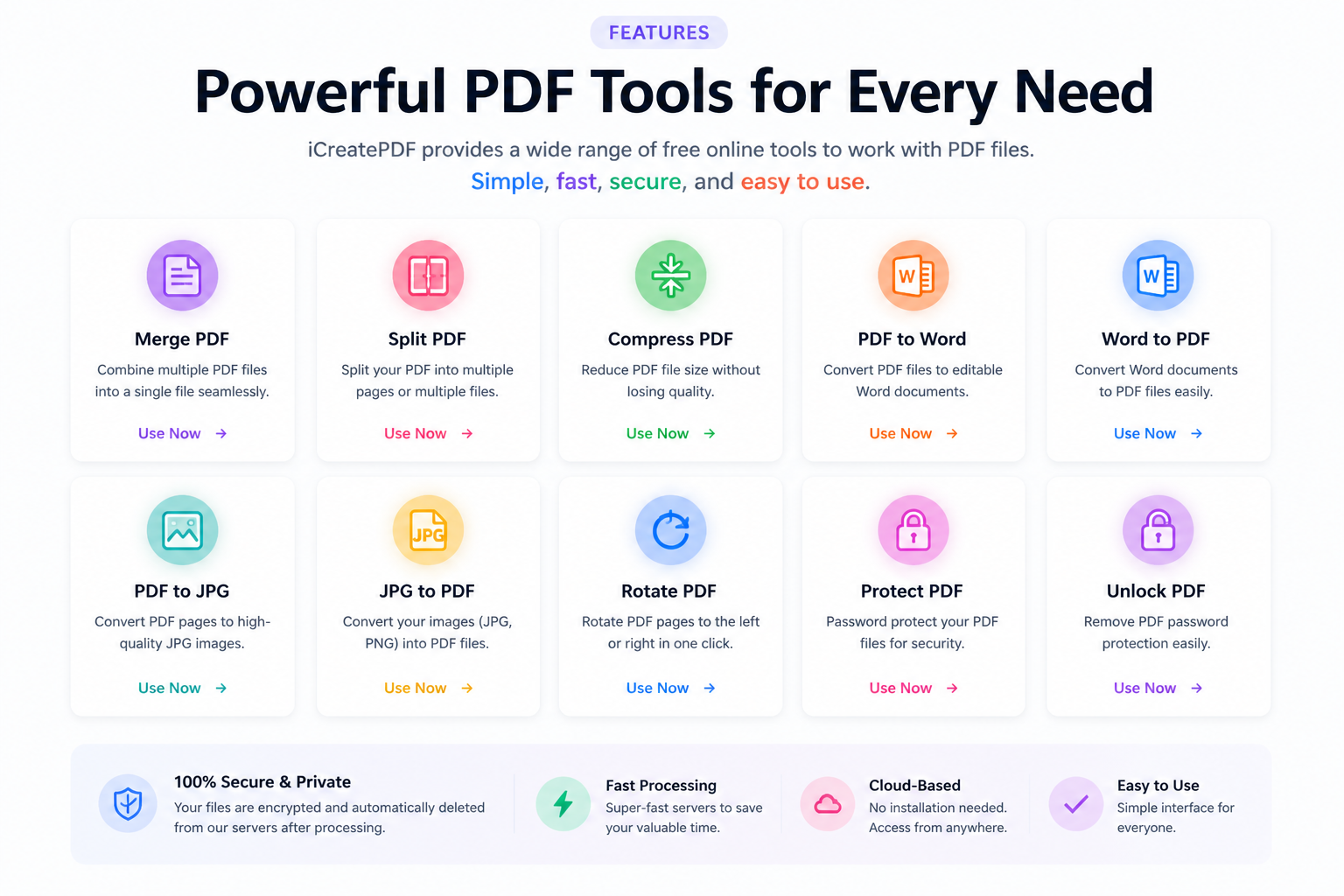
At iCreatePDF Tools, users can access a wide range of free online solutions, including:
- PDF Editor
- PDF Merger
- PDF Splitter
- PDF Compressor
- Word to PDF Converter
- PDF to Word Converter
- Image to PDF Converter
- PDF Unlocker
- PDF Protector
Internal Tool Hub:
These tools simplify digital document management for both personal and business use.
Benefits for Businesses
Businesses rely heavily on PDFs for:
- Contracts
- Reports
- Employee documentation
- Client proposals
- Legal files
PDF editing ensures documents remain:
- Accurate
- Updated
- Secure
- Professional
Benefits for Students and Educators
Students can use PDF tools to:
- Edit assignments
- Convert notes
- Merge study materials
- Compress project files
- Sign academic forms
Why Choose iCreatePDF?
iCreatePDF offers:
- User-friendly interface
- Fast processing
- Secure online tools
- Multiple PDF solutions
- Free accessibility
- SEO-focused digital productivity resources
Explore all tools:
SEO FAQs
Can I edit PDFs online for free?
Yes, with platforms like iCreatePDF, you can edit, merge, split, compress, and convert PDFs online for free.
Why is PDF editing important for businesses?
It improves workflow efficiency, document accuracy, collaboration, and security.
What is the best PDF editing tool?
Comprehensive platforms like iCreatePDF provide multiple PDF management tools in one place.
Final Thoughts
PDF editing is no longer optional in modern digital workflows—it is essential. From document updates to secure file sharing, having reliable PDF tools significantly improves productivity.
Whether you need to merge, compress, edit, or convert files, iCreatePDF Tools provides a complete solution for efficient document management.
Start optimizing your PDFs today:
https://tools.icreatepdf.com/
Suggested Internal Linking Strategy:
Within future blog posts, naturally link to:
- PDF Merge Tool
- PDF Compress Tool
- PDF Editor Tool
- PDF Converter Tools
- Homepage Tool Directory
This strengthens SEO, improves crawlability, and boosts keyword authority across your website.